
From provider statement to revenue insight
FeeHub turns provider statements and bank data into a clear view of what your firm has earned, what it has received and what is still missing. Here’s how it works, step by step.
Provider statements come in
Commission and adviser charging statements arrive from every provider, in every format: PDF, Excel, CSV or paper. Upload them to FeeHub yourself, or send them to us.
With FeeHub Software + Data, we do this for youAutomated data processing
Our automated processing technology reads every line and validation checks make sure each statement balances. The result is clean, consistent revenue data.
Your revenue data lands in FeeHub
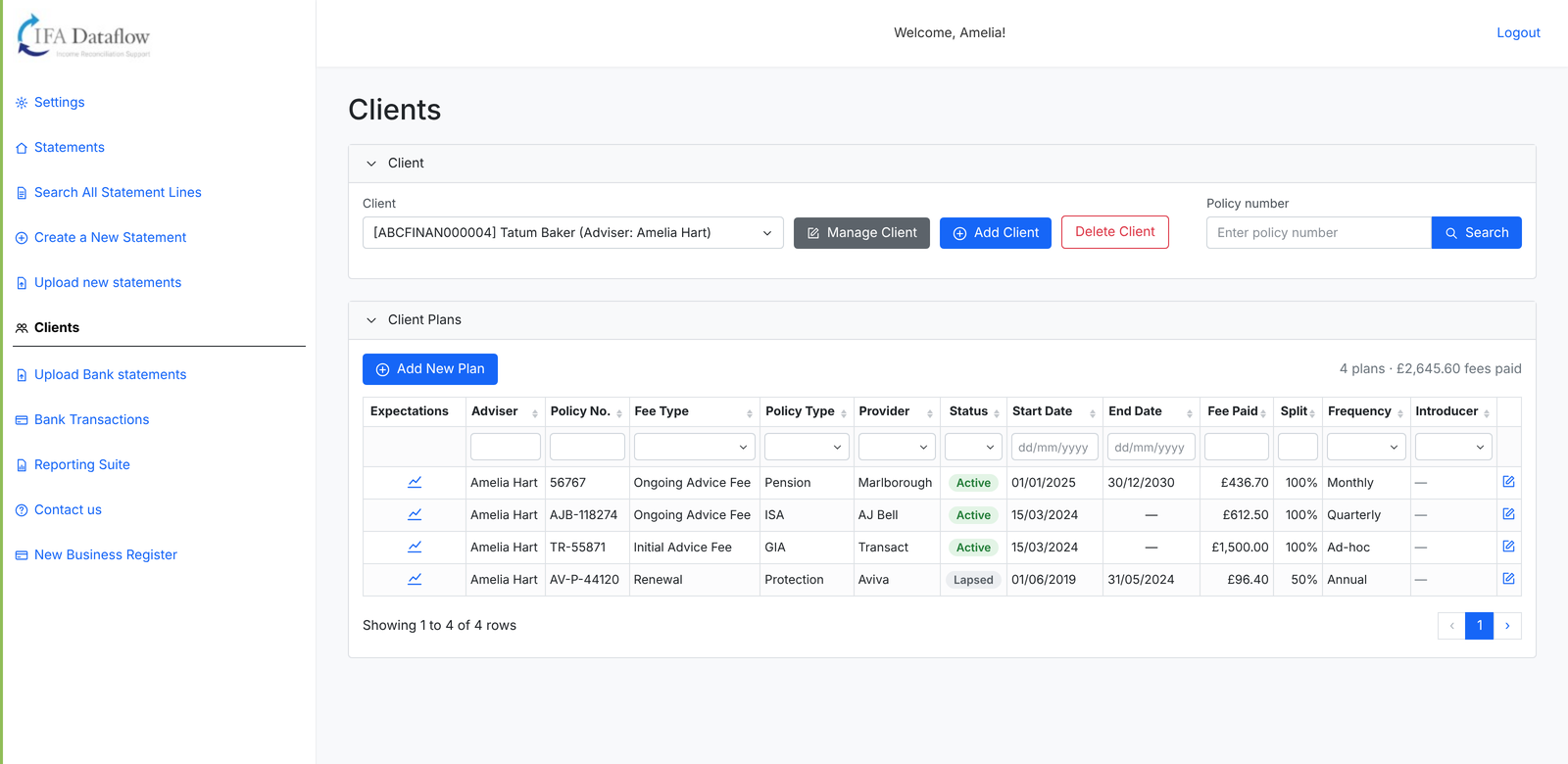
Every statement and every line is searchable by adviser, client, policy and provider. Clients who aren’t on the system yet are flagged so you can add them in one click.
Bank reconciliation
Upload your office bank statement and FeeHub matches receipts to provider statements automatically. Anything it can’t be sure of is suggested for you to confirm, and anything unexplained stays visible until it’s resolved.
Expected fees and reporting
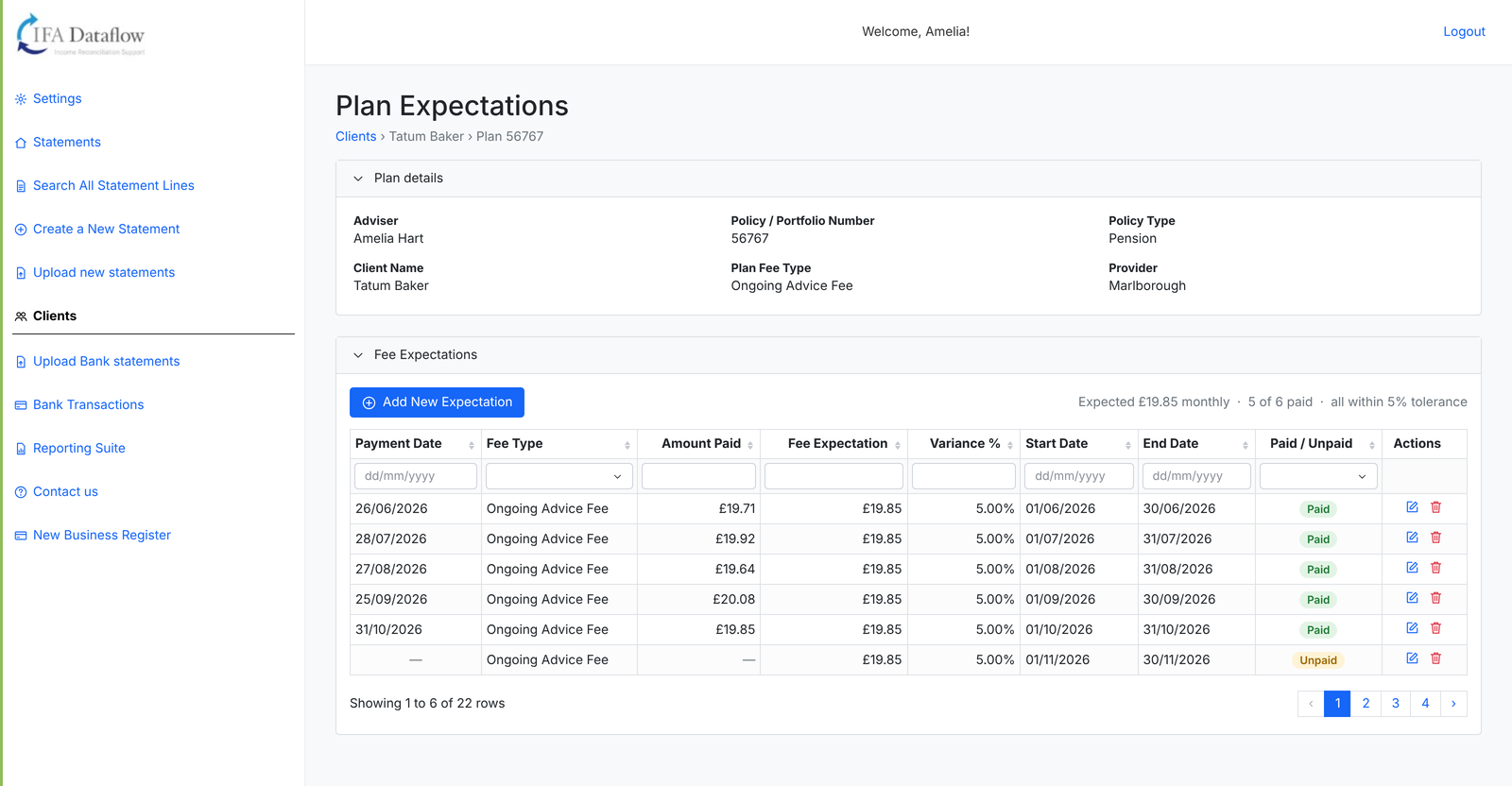
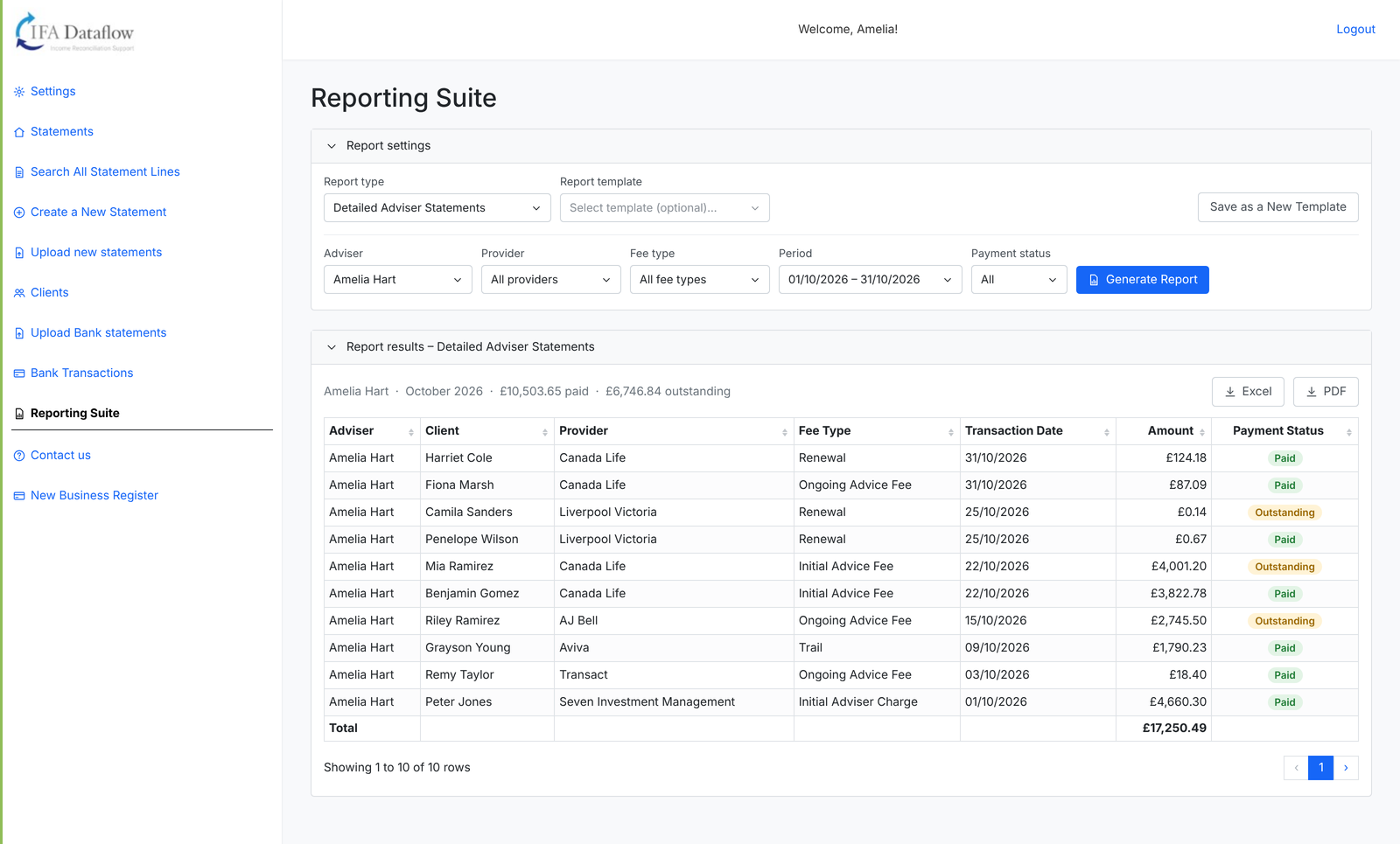
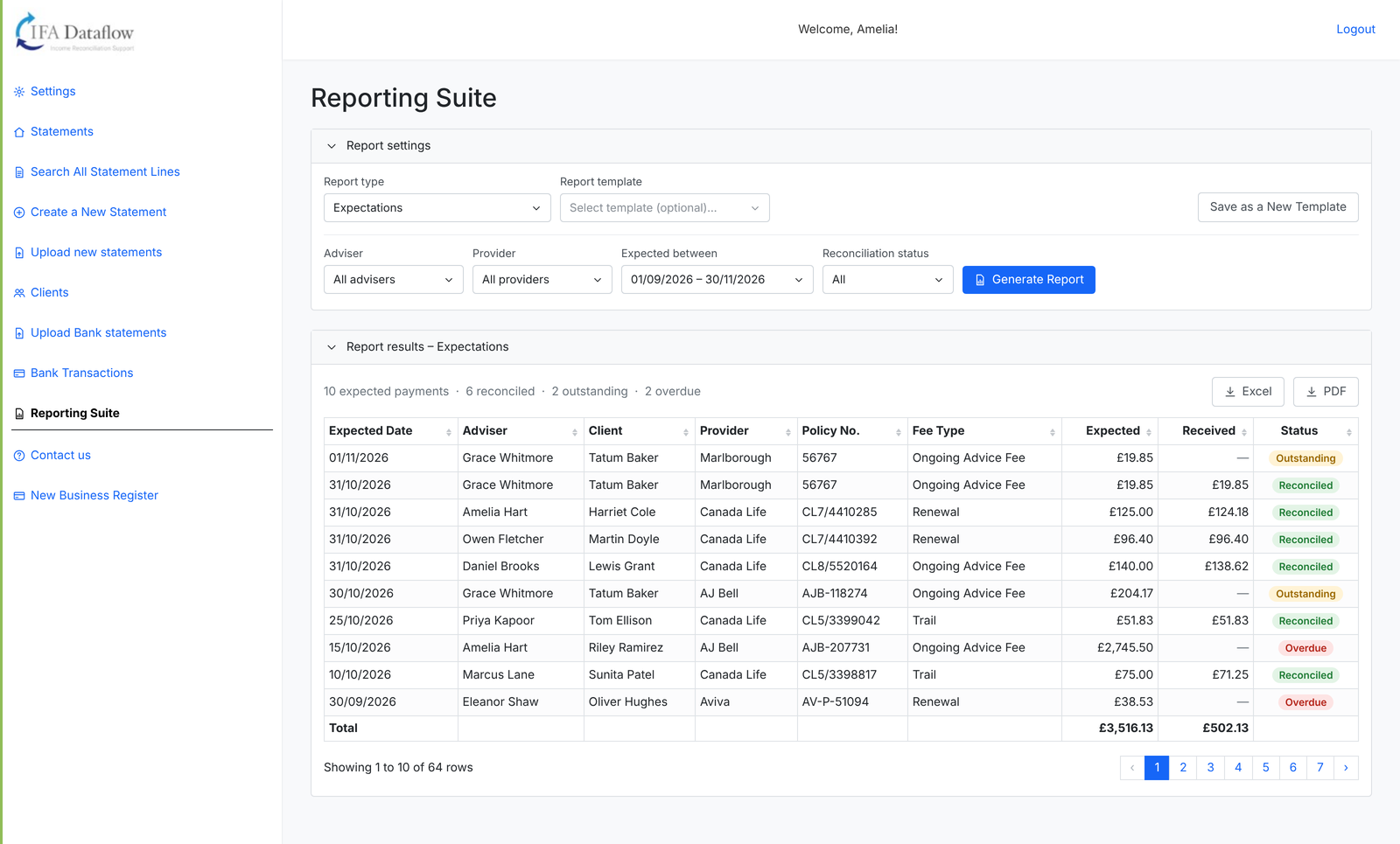
Set fee expectations for each client plan and FeeHub tracks what’s paid, outstanding or overdue. Run reports by adviser, provider or fee type and export them to Excel or PDF.
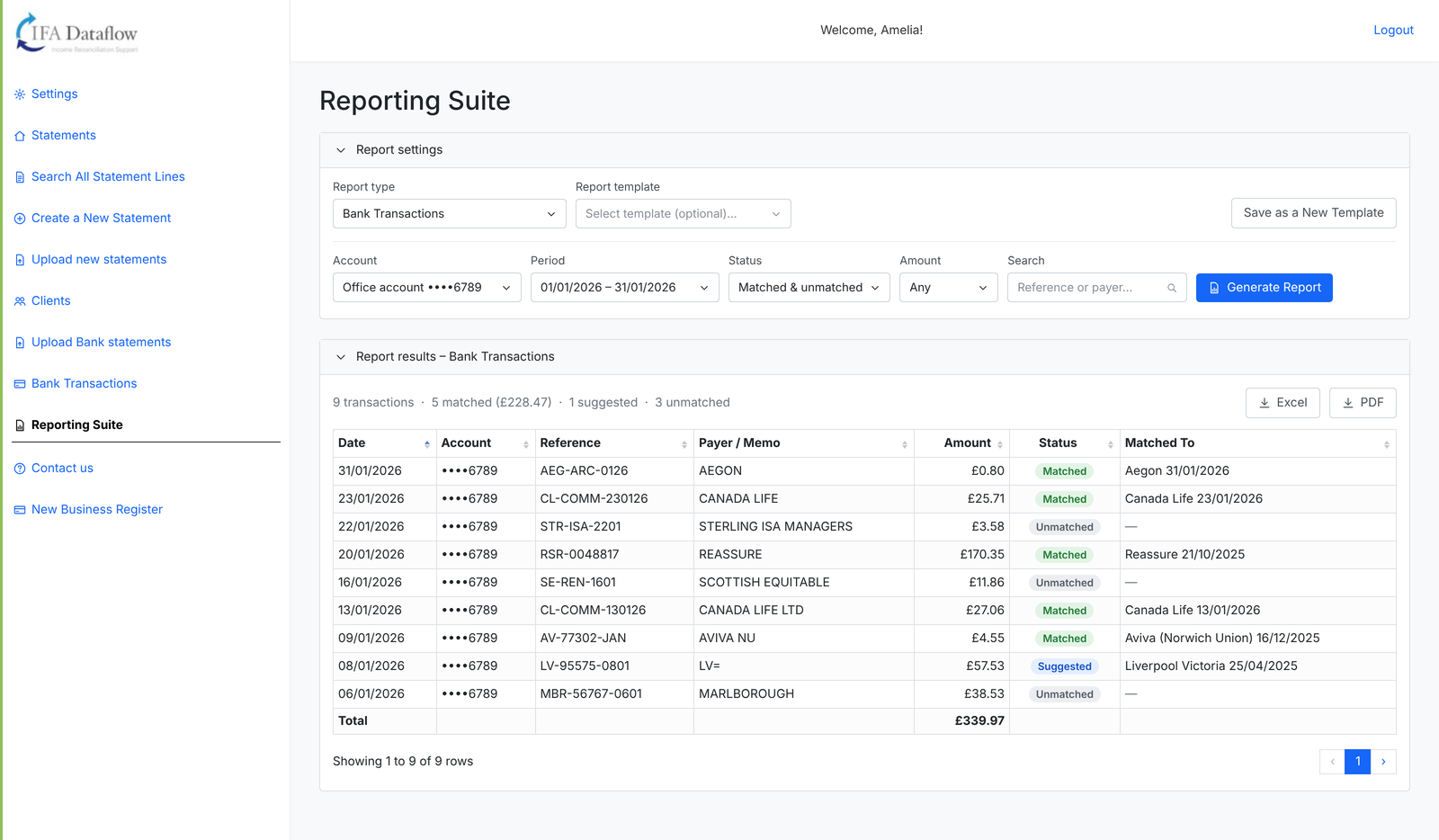
Inside FeeHub
Real screens from the platform, shown with demo data.
Your month in FeeHub
A simple routine that keeps your revenue under control.
1. Load the data
Provider statements and bank statements go in, by you or by us.
2. Review the exceptions
Work through unmatched receipts, outstanding lines and clients not yet on the system.
3. Report and act
Run the Expectations report to see overdue fees, chase what’s missing and share adviser reports.
See FeeHub with your own data
Book a demonstration and we’ll show you how FeeHub gives your firm complete revenue visibility.